Effortless animations with CSS view transitions
23 points by giacomo_cavalieri
23 points by giacomo_cavalieri
Couple of style hints for your site, since you’re the author:
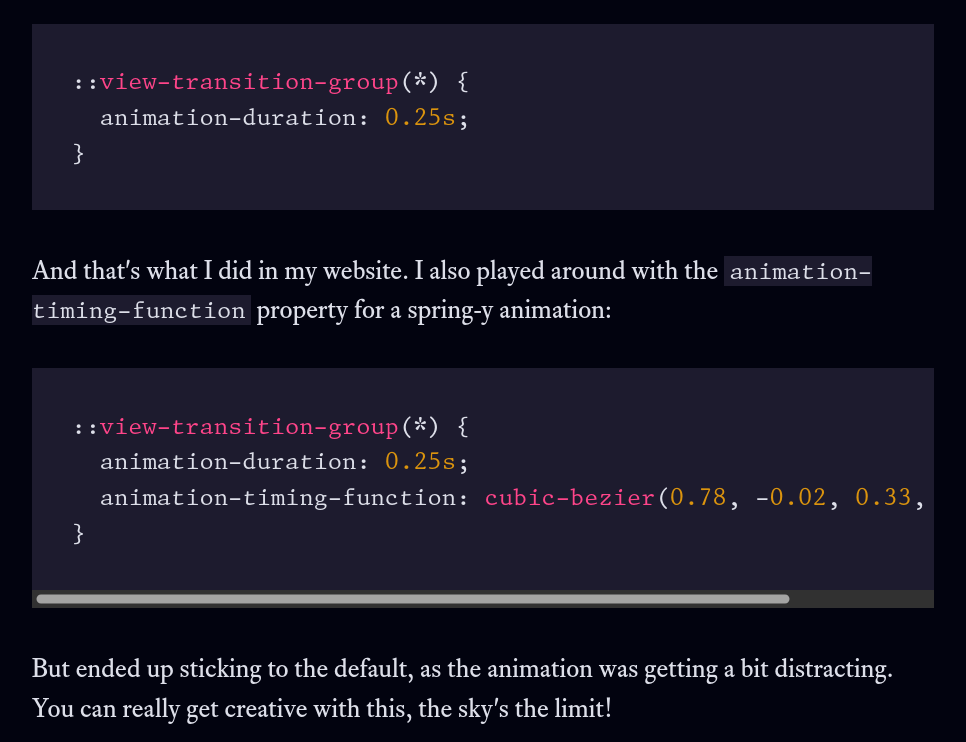
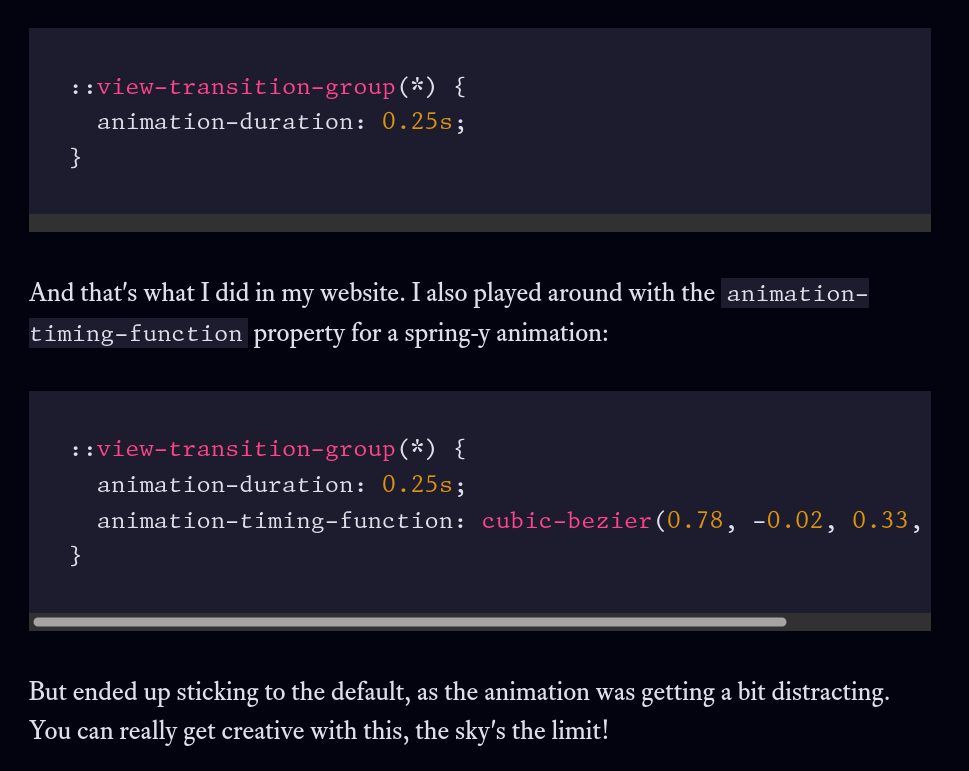
Change pre { overflow-x: scroll } to pre { overflow-x: auto }. scroll is never the right value; it forces scrollbars to appear, whereas auto allows them to appear. Unfortunately most platforms are defaulting to auto-hiding overlay scrollbars these days, where the difference is either difficult to notice or nonexistent. (Personally I would like to see overflow: scroll officially deprecated; I know of no legitimate use cases left these days except for scrollbar width detection, and that can be done with overflow: auto almost as easily.)
Since your site is dark, add :root { color-scheme: dark } to your CSS or <meta name=color-scheme content=dark> to your HTML, so that browser UI elements like scroll bars and forms will be appropriately-coloured.
About scroll, is auto the right value given that without scrollbars it's not obvious that there's content hidden to the right?
auto allows the container to become scrollable, and displays a scrollbar if that occurs. scroll draws a scrollbar even if it’s not needed.
I know that. But my point is that scroll is not a bad option here because it's a good cue that there's hidden content to the right.
You’re not understanding: there isn’t hidden content.
https://temp.chrismorgan.info/2026-01-08-overflow-auto.png
https://temp.chrismorgan.info/2026-01-08-overflow-scroll.png
Thank you for posting the exact code block I was thinking about.
In Firefox on OSX (and surely in Linux too) the scrollbar does not appear unless I do a two finger swipe to scroll. It does not even appear when I hover said block. This is what I mean with hidden content. There's no cue that the line extends to the right.
I wish I could post a screenshot but the corporate network blocks a lot of sites.
My screenshots are from Firefox on Linux with overlay scrollbars disabled (Settings → tick “Always show scrollbars”; GNOME have foolishly and hostilely hijacked GTK to make overlay scrollbars the default, and as of GTK 4 even removed any way of overriding this globally, so each app has to implement its own “disable overlay scrollbars” switch manually; and Firefox has adopted the same default as GTK).
You can turn off overlay scrollbars globally on macOS (presuming they haven’t broken it in the latest release), and I recommend doing so for the usability improvement: https://www.macrumors.com/how-to/make-scroll-bars-always-visible/.
If I have Firefox use overlay scrollbars, then there’s no difference between overflow: scroll and overflow: auto. This is most of the problem with scroll these days—people use it because it sounds right, and don’t realise it’s a bad value because the problem doesn’t affect their configuration.
But you are changing the defaults, something not many people do. The best solution would be to ask Gnome, Apple, and browsers to always show the scrollbars for scrollable contents inside the main viewport. Fortunately, Firefox makes the code block focusable with the keyboard when there's a overflow: auto.
A lot of Windows still uses traditional scrollbars.
I think you may still not be understanding the difference between scroll and auto. The difference is purely when overflow doesn’t occur, on user agents where a scrollbar takes space (which is unfortunately fewer and fewer).
I do front end for a living. I know about overflow.
My point is that from a usability standpoint, OSX and Gnome do a great harm by hiding scrollbars by default. That's why I wonder if forcing scrolbars for scrollable elements inside the main viewport would help users to notice hidden content, because I do not foresee Apple and Gnome changing their stance on "design".
I understand that I can change this on the settings, but changing that option specifically is not common given that browsers and OS never suggest the possibility, using for example a "tip of the day".